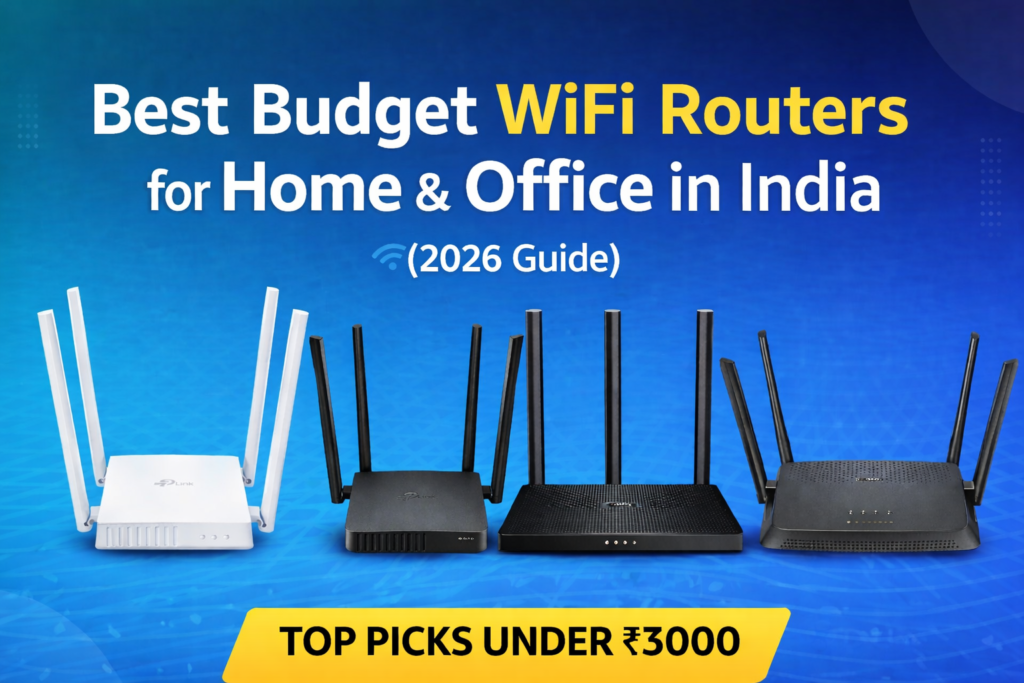
Looking for the best budget WiFi router for your home or office? A reliable router is essential for fast internet, stable connection, and smooth performance across multiple devices.
Whether you are working from home, streaming videos, attending online classes, or browsing daily, choosing the right budget router can make a big difference.
In this article, we have listed the best budget WiFi routers in India that offer great performance, good coverage, and value for moneyβall without spending too much.
π Key Things to Consider Before Buying a WiFi Router
1. Speed
Choose routers like AC1200 or higher for smooth performance and faster internet.
2. Dual Band
Dual-band routers (2.4GHz + 5GHz) provide better speed and reduce network congestion.
3. Coverage
Routers with multiple antennas offer better range for bigger homes or offices.
4. Device Support
If you have multiple devices, choose a router with better processing power.
5. Security
Look for routers with WPA2/WPA3 security for safe internet usage.
Top 5 Best Budget WiFi Routers for Home & Office
1.
TP-Link Archer C6 (Best Overall)
- AC1200 Dual Band (867 Mbps + 400 Mbps)
- MU-MIMO technology
- 4 external antennas
- Gigabit ports
Pros:
- Excellent performance
- Wide coverage
- Stable connection
Cons:
- Slightly higher price
2.
TP-Link Archer C54 (Best Budget)
- AC1200 Dual Band
- 4 antennas
- Multi-mode support
Pros:
- Budget friendly
- Good speed
- Easy setup
Cons:
- No gigabit ports
3.
TP-Link Archer C24 (Best for Basic Use)
- AC750 Dual Band
- Compact design
- 4 antennas
Pros:
- Very affordable
- Easy to use
Cons:
- Lower speed
4.
D-Link DIR-825 (Best for Office Use)
- AC1200 Dual Band
- Gigabit ports
- High-gain antennas
Β Pros:
- Stable performance
- Good for multiple devices
Β Cons:
- Setup slightly complex
5.
D-Link R15 AX1500 (Best Future-Proof WiFi 6 Router)
- WiFi 6 (AX1500)
- Dual Band
- Gigabit ports
- AI optimization
Pros:
- Faster speed
- Handles more devices
- Latest technology
Cons:
- Price may fluctuate
π Comparison Table
Router | Speed | WiFi Type | Ports | Best For |
|---|---|---|---|---|
| TP-Link Archer C6 | AC1200 | WiFi 5 | Gigabit | Overall Use |
| TP-Link Archer C54 | AC1200 | WiFi 5 | Fast Ethernet | Budget |
| TP-Link Archer C24 | AC750 | WiFi 5 | Fast Ethernet | Basic Use |
| D-Link DIR-825 | AC1200 | WiFi 5 | Gigabit | Office |
| D-Link R15 | AX1500 | WiFi 6 | Gigabit | Future Use |
π Final Recommendation
Best Overall : TP-Link Archer C6
Best Budget : TP-Link Archer C54
Best for Basic Use : TP-Link Archer C24
Best for Office : D-Link DIR-825
Best Future-Proof : D-Link R15
Overall, choosing the best budget WiFi router depends on your needs and usage. If you want the best balance of price and performance, go with TP-Link Archer C6. For budget users, Archer C54 is a great choice, while D-Link R15 is perfect for long-term use with the latest WiFi 6 technology.
If you are looking for the best budget WiFi router for home or office, these options provide excellent performance, good coverage, and great value for money.
If your internet is connected but websites are not loading, check out our detailed guide on how to fix this issue: Internet Connected But No Browsing β Fix Guide
β FAQs
1. Which WiFi router is best for home use?
TP-Link Archer C6 is one of the best routers for home use due to its performance and coverage.
2. Is a dual-band router necessary?
Yes, dual-band routers provide better speed and reduce interference.
3. What is WiFi 6?
WiFi 6 is the latest technology that offers faster speed and better performance for multiple devices.
4. Which router is best for office use?
D-Link DIR-825 is a great option for office usage.
5. What is the difference between single band and dual band routers?
Single band routers use only 2.4GHz, while dual band routers use both 2.4GHz and 5GHz, offering better speed and less interference.
6. Is WiFi 6 router worth buying on a budget?
Yes, if it fits your budget. WiFi 6 routers provide faster speed, better performance, and support more devices, making them future-proof.
7. Which router is best for a 2BHK house?
A dual-band AC1200 router like TP-Link Archer C6 or D-Link DIR-825 is ideal for a 2BHK house.
8. Can I use a WiFi router for both home and office?
Yes, most modern routers support multiple devices and are suitable for both home and small office use.
9. How can I improve WiFi signal strength at home?
Place the router in a central location, avoid obstacles, and keep it away from electronic interference for better signal strength.
10. Do WiFi routers affect internet speed?
Yes, a good router can improve speed and stability, especially when multiple devices are connected.
Disclosure: This post contains affiliate links. If you purchase through these links, we may earn a small commission at no extra cost to you.
Note: Images used in this article are for illustration purposes only and may not represent the exact product.
